Android Backup & Recovery Software
STS Android Recovery
Photos, Messages & More!
NEW in 2.4 Signal message export
Messages, WhatsApp, Signal, photos and files — all off your phone in a single pass. And when the phone restarts mid-export, nothing starts over: it waits, reconnects, and picks up on the exact file it left.
Windows, Mac & Linux 7-Day Money Back Guarantee
What You Can Recover
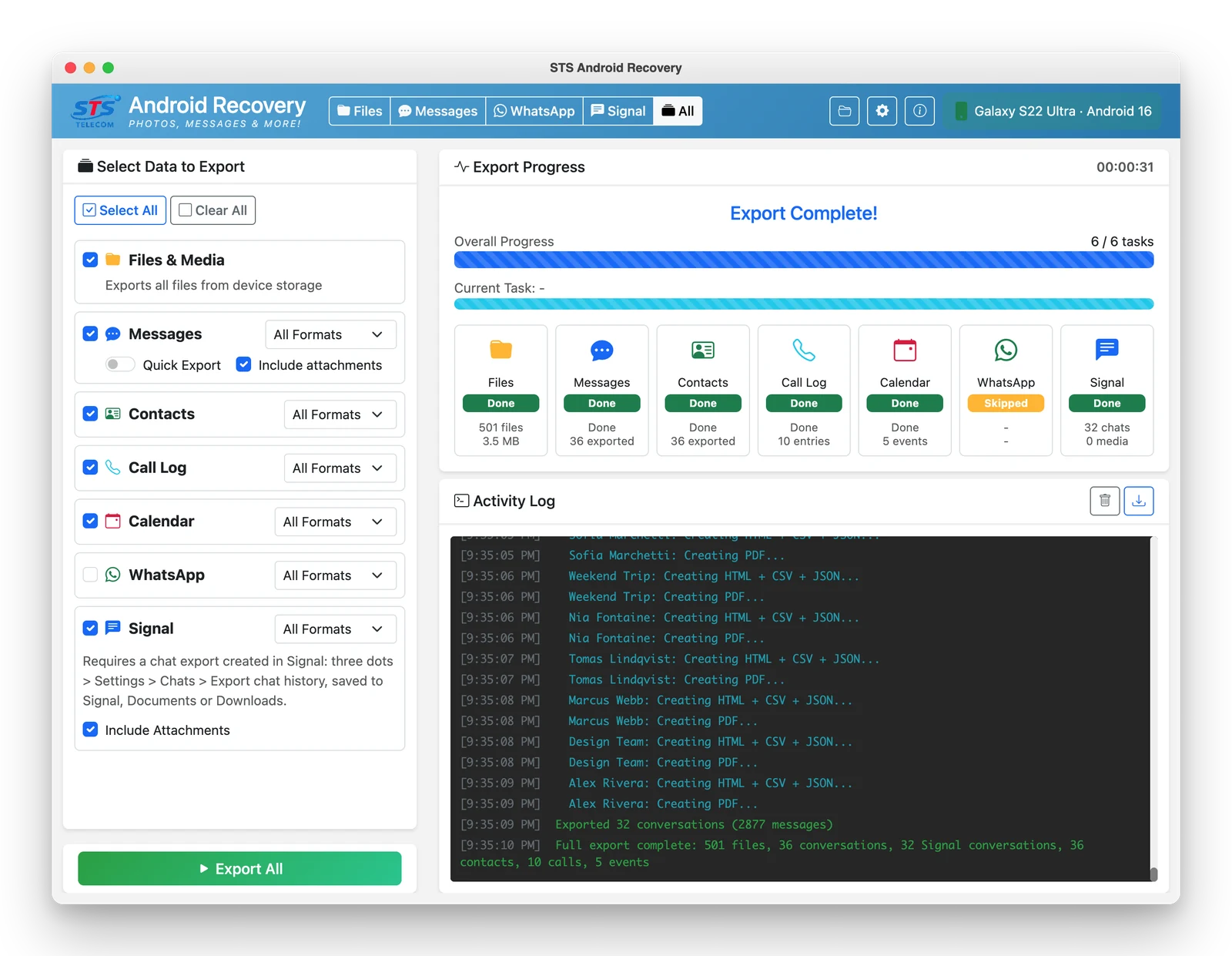
Files & Media
Photos, videos, documents and downloads from device storage, with folder-by-folder selection and post-transfer verification.
SMS, MMS & RCS
Complete message threads with attachments, contact names and group sender attribution.
WhatsApp and WhatsApp Business chats with attachments — including Dual Messenger, work-profile and second-account backups.
Signal
Signal conversations with attachments, group names and call history — no encryption key to hunt down.
Contacts
Export as vCard (one file or one card each) or CSV — ready to import anywhere.
Call History
Complete call logs with timestamps, duration and contact matching.
Calendar Events
Appointments, reminders and events, ready for migration to another calendar.
Readable Reports
Conversations export as HTML, PDF and CSV in a single run — plus JSON for WhatsApp and Signal — with your own company name on the PDF header and footer.
Or choose Export All and take every one of them in a single pass.
New in Version 2.4
Signal export, done the honest way
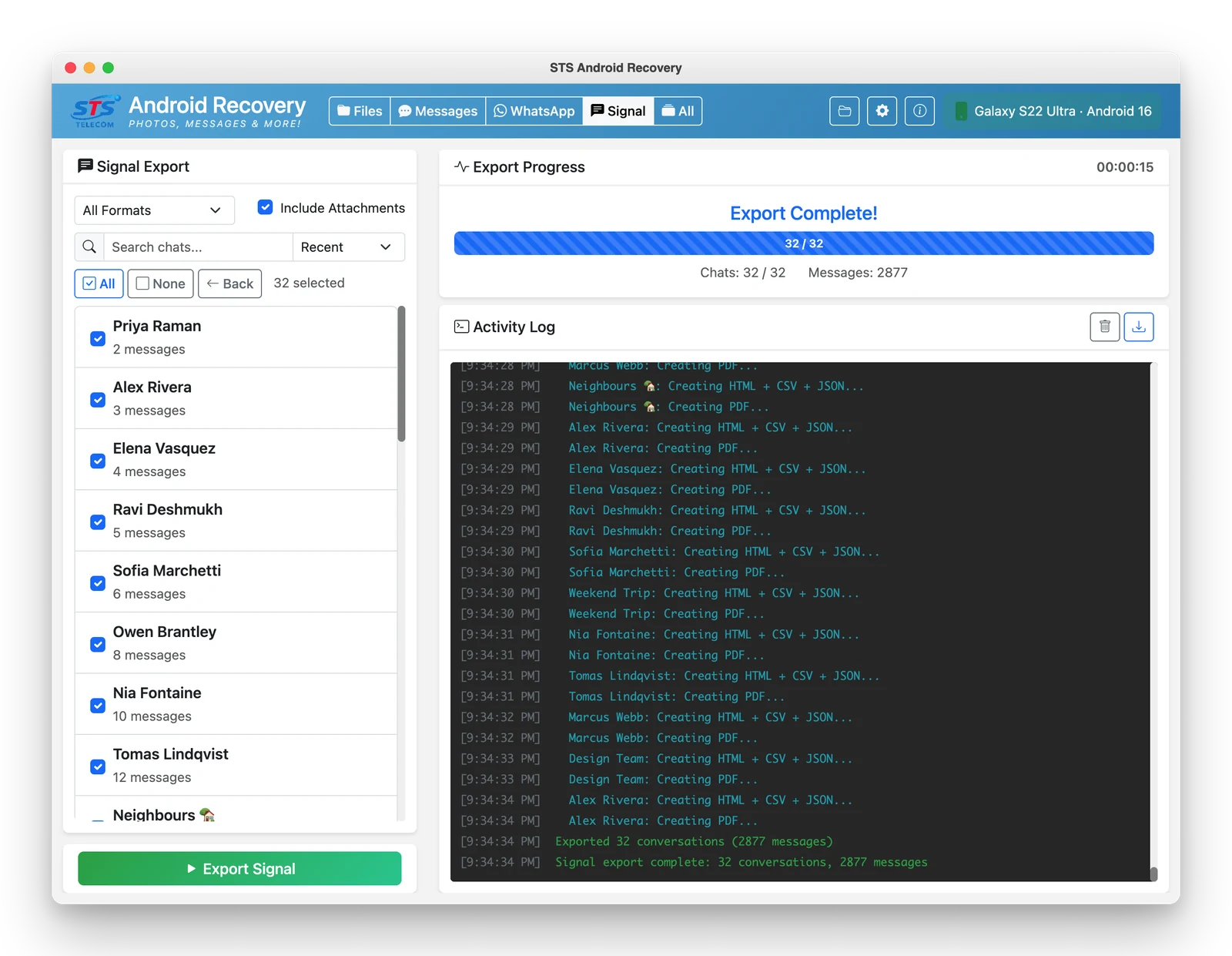
Signal is built to be hard to extract — its database is locked with a key held in your phone's secure hardware, and no tool can read it off the device. So we work with Signal's own export instead.
You create a chat export inside Signal (⋮ → Settings → Chats → Export chat history). STS Android Recovery finds it, reads it, and turns it into the same polished reports it produces for every other source.
- No encryption key to find or type — unlike the WhatsApp flow
- Photos appear inside the conversation, matched to their messages instead of dumped in a loose folder
- Media you never downloaded is labelled as such, so nothing quietly vanishes from the report
- Included in Export All, alongside messages, WhatsApp, contacts, call log and calendar
How It Works
Connect Device
Plug in via USB cable. STS Android Recovery uses Android's native debugging bridge (ADB) — nothing gets installed on your phone.
Select Data
Choose what to recover — files, messages, contacts, call logs, calendar, or everything at once.
Export & Resume
Start the export. If the device disconnects, just reconnect — recovery continues automatically.
See It Working
Click any screenshot to enlarge. Names and conversations shown are demo data.
Export All — everything in one run
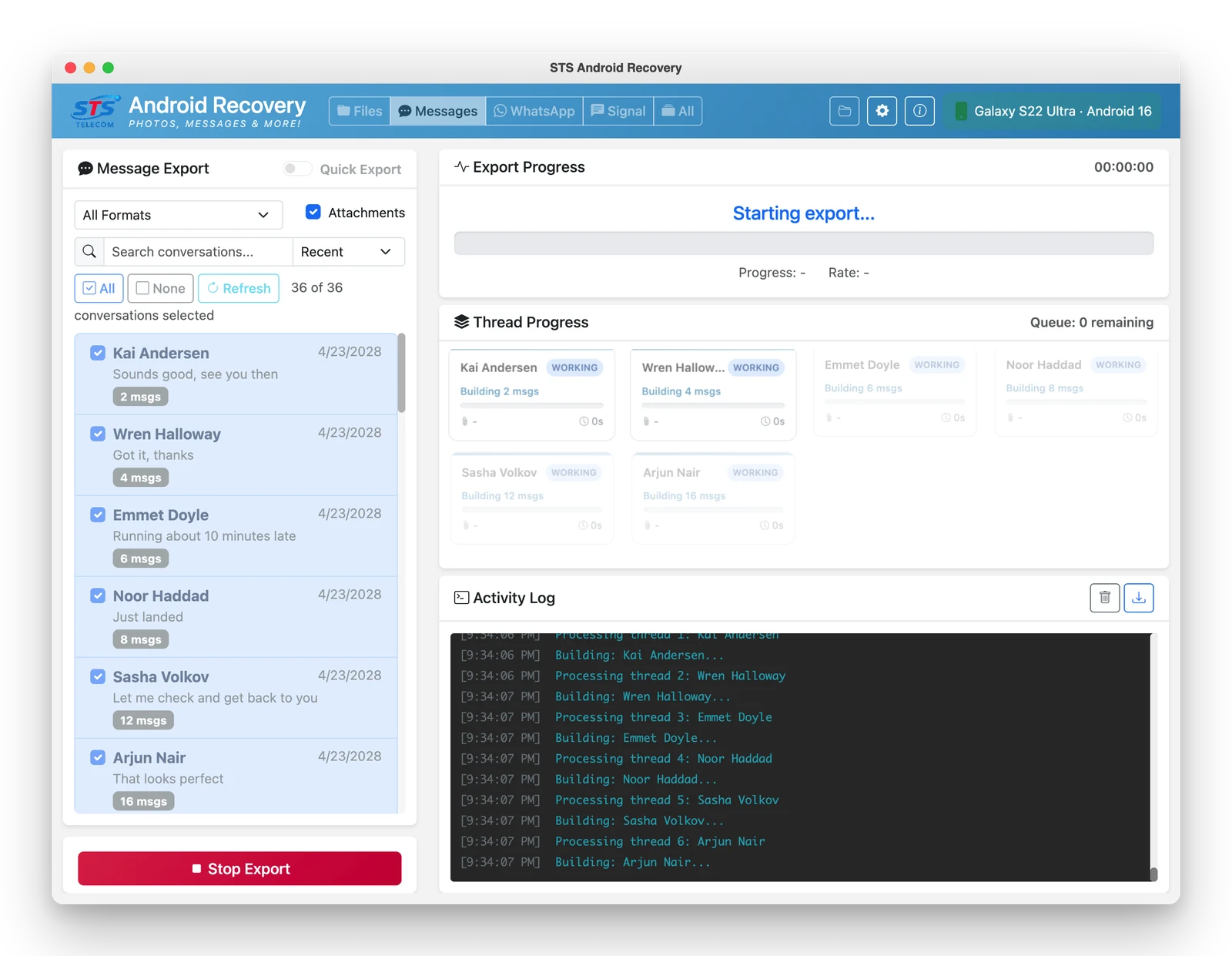
Messages — live progress
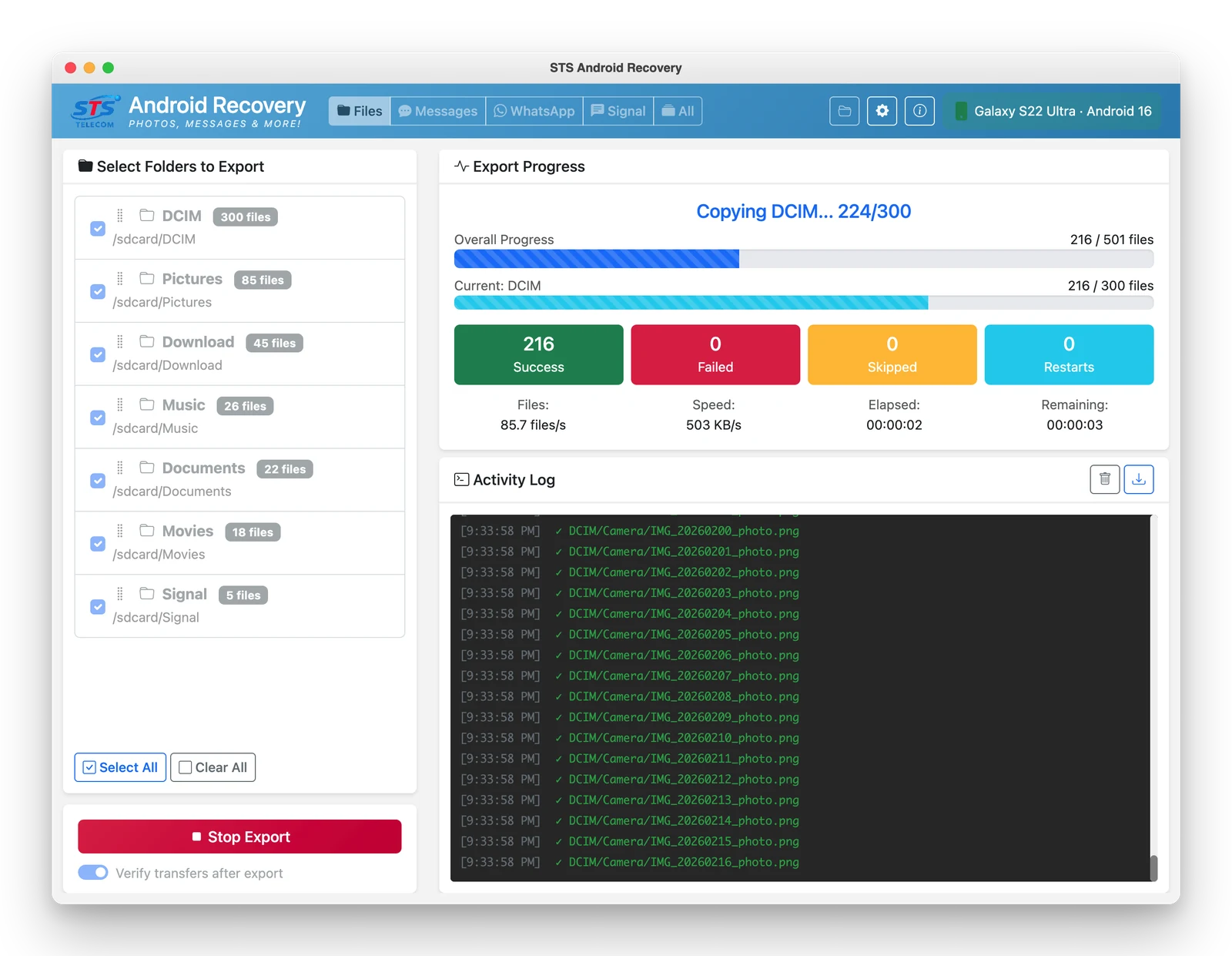
Files — survives restarts
Signal — new in 2.4
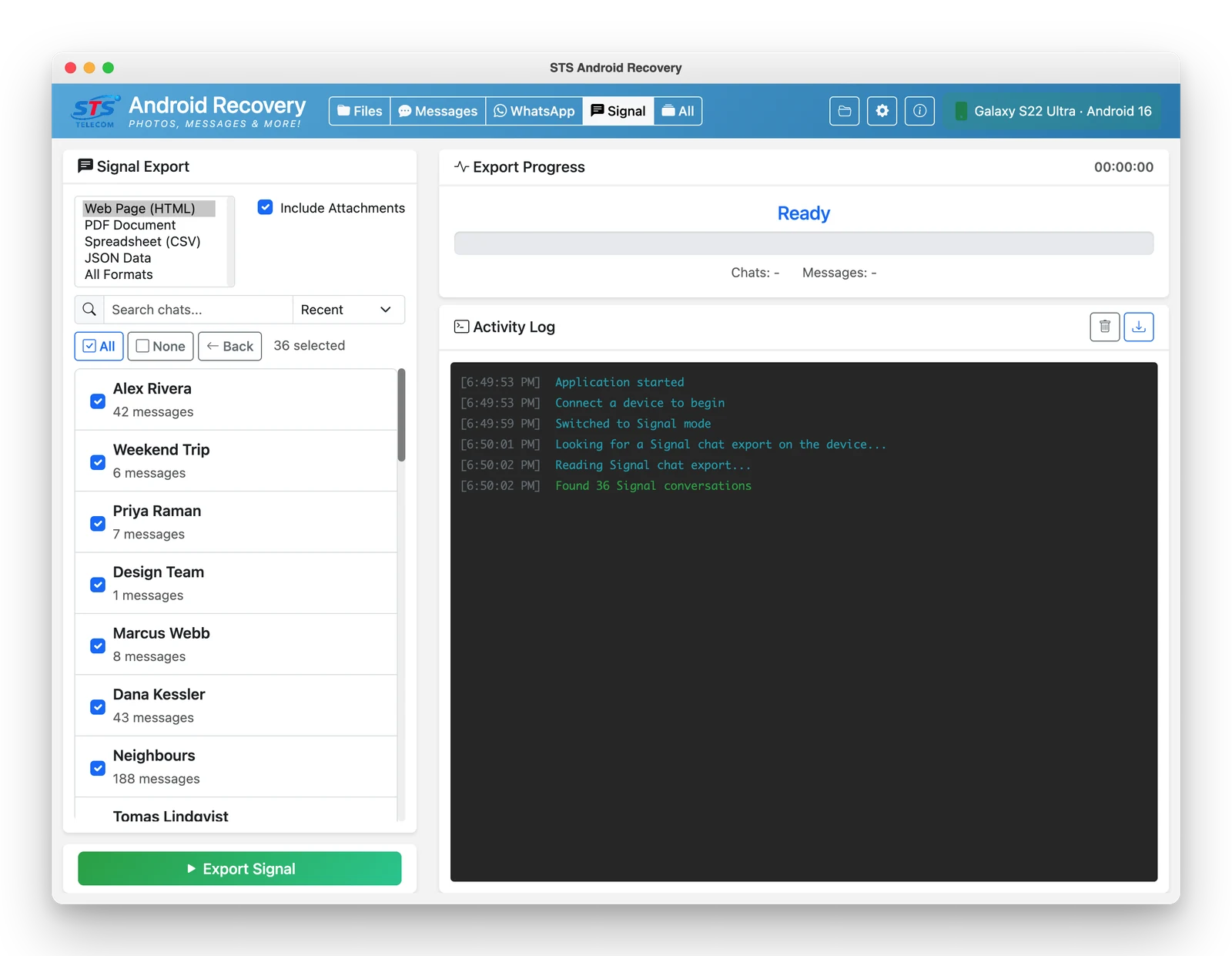
Pick your report format
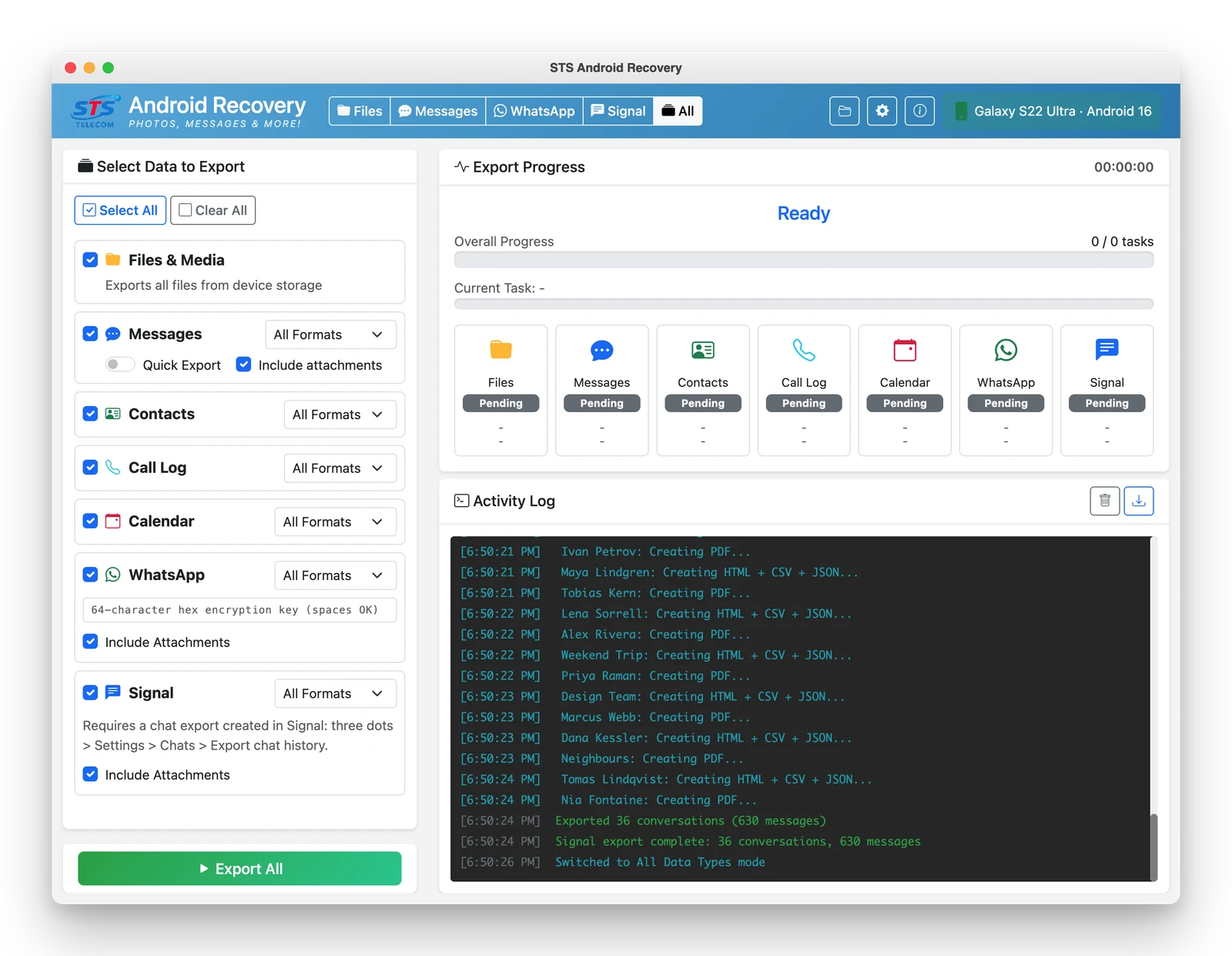
Every source, your choice of format
Before You Start
Two things to know, so there are no surprises.
USB debugging must be on
On your phone: Settings → About phone → tap Build number seven times, then Developer options → USB debugging. Authorise the computer when your phone asks. Nothing is installed on the phone, and no root is needed — ever.
Signal and WhatsApp need one extra step
Signal needs a chat export you create in the app; WhatsApp needs your own 64-character encryption key. Neither can be automated — that is deliberate security design by those apps, and it is what keeps anyone else from reading your chats too.
For phones you own or have permission to access. STS Android Recovery works with your own device over a normal USB connection — it can't bypass a lock screen, a password, or a phone's encryption, and it can't pull anything from a phone you don't have in your hands and unlocked.
It exports what is still on the phone — it does not recover deleted or expired messages, and it cannot read a device that will not power on. A phone that keeps restarting is exactly what it is built for.
Download
Fully functional trial — no account required. Buy a license when you're ready.
Version 2.4.1 · All platforms include a fully functional trial that runs for 1 hour each time it loads — Requires Android 10+ for message exporting · Tested through Android 16
Downloading or using the software means accepting the License Agreement, which you are also asked to accept the first time you run it.
Full License
For new customers
- Lifetime license — does not expire
- Updates for life
- Activate on up to 5 computers
- Windows, Mac & Linux
By purchasing you agree to the License Agreement. 7-day money-back guarantee.